Bug Life Cycle and Defect Management
Harry
· 21 Sep 2026
· 2 views
Log in to track your progress and mark lessons complete.
Sponsored
 Need Expert Training?
Request Training →
Need Expert Training?
Request Training →
What is a Software Bug?
Any deviation from requirements: wrong output, crash, broken link, confusing message. All bugs get logged, triaged, fixed and verified.
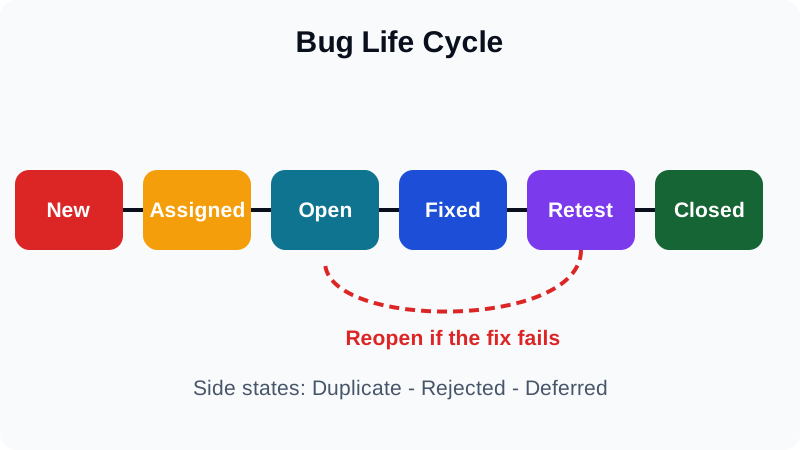
Bug Life Cycle
New -> Assigned -> Open -> Fixed -> Retest -> Verified -> Closed. Side states: Reopen (fix failed), Duplicate, Rejected (not a bug), Deferred (fix later).
Severity vs Priority
- Severity - technical impact: crash on checkout is Critical.
- Priority - business urgency: typo on the homepage can be High priority but Low severity.
- High severity plus low priority: crash in an unused report. Low severity plus high priority: logo wrong on launch day.
How to Write a Good Bug Report
Title: Checkout shows Rs.0 total for 2 items
Steps: 1. Add 2 x Book 2. Open cart 3. Click checkout
Expected: total Rs.998 | Actual: total Rs.0
Env: Chrome 126, staging, user@test.com
Evidence: screenshot + console log attached
Defect Leakage and Density
- Leakage - defects escaping to production; lower is better.
- Density - defects per module; hotspots need more tests or refactoring.
Root Cause Analysis
For every escaped defect ask why five times: wrong total because discount applied twice because coupon logic ran on each item. Fix the cause, add a regression test, share the lesson.
- Severity is impact; priority is scheduling.
- One bug report proves one bug with evidence.
- Every production bug earns a regression test.