API Testing with Postman
Harry
· 21 Sep 2026
· 2 views
Log in to track your progress and mark lessons complete.
Sponsored
 Browse All Tutorials
Explore →
Browse All Tutorials
Explore →
Introduction to API Testing
APIs carry the real logic; UI just displays it. Testing APIs directly is faster, stabler and finds backend bugs before any page exists.
HTTP Methods and Status Codes
- GET read, POST create, PUT/PATCH update, DELETE remove.
- 2xx success (200 OK, 201 Created), 4xx client error (400, 401, 404), 5xx server error.
Requests: Headers, Params, Body
GET /api/books?page=1&size=10
Authorization: Bearer <token>
Content-Type: application/json

POST /api/books
{ "title": "Clean Code", "price": 499 }
What to Verify in JSON APIs
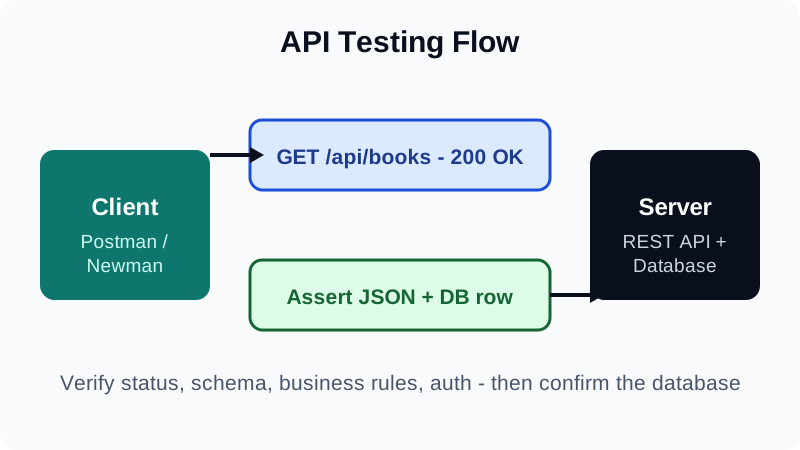
- Status code, response time and schema/shape of JSON.
- Business rules: totals, discounts, pagination counts.
- Auth: no token gives 401; normal user cannot hit admin routes (403).
- Negative cases: bad IDs (404), invalid JSON (400), huge payloads.
Postman: Collections, Variables, Scripts
- Group requests into collections per feature (Auth, Books, Orders).
- Use variables: {{baseUrl}}, {{token}} set from a login test.
- Add test scripts: pm.test status is 200; check body fields; save IDs for the next call.
- Run collections with the Collection Runner or Newman in CI.
API Test Automation
Export collections and run with Newman on every build: newman run api-tests.json. Fail the pipeline on any failing assertion.
- Test the API contract, not just happy paths.
- Always test auth: missing, expired and low-privilege tokens.
- Collections plus Newman give you API regression in CI.