Logging with Logback
Harry
· 11 Sep 2026
· 10 views
Logback Replaces Log4j 1.x
Logback is the natural successor to Log4j and is the native backend of SLF4J. It is faster, supports automatic reloading of configuration, and comes with logback-classic, the SLF4J binding. Spring Boot uses Logback by default.
Setup
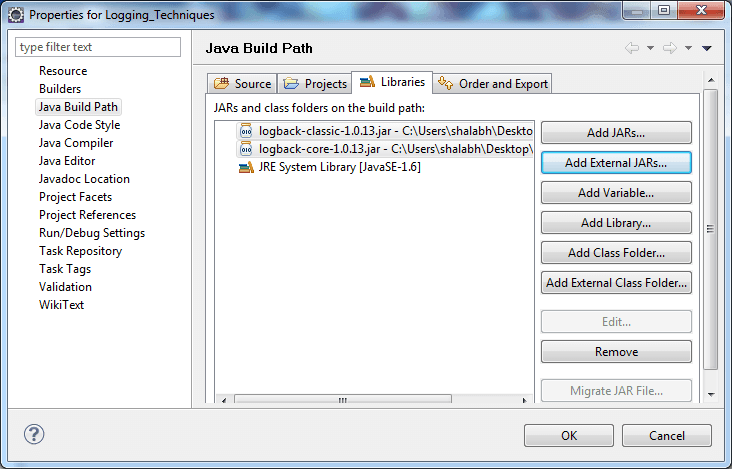
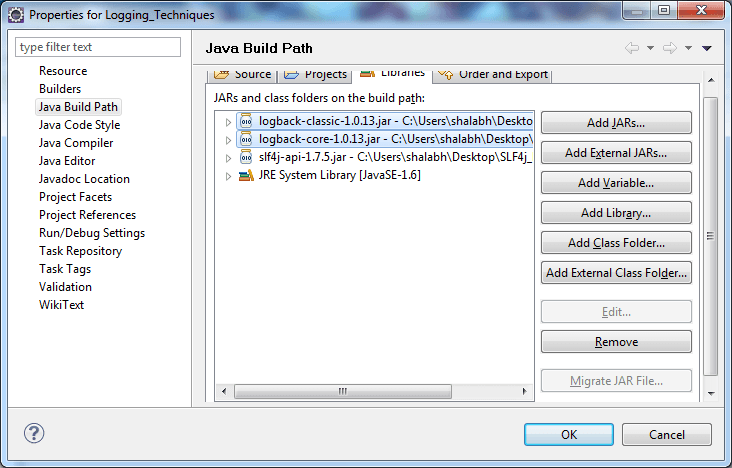
Add logback-classic to the build path. logback-core is pulled in automatically.
logback.xml
Logback reads logback.xml from the classpath. A simple configuration with a console and a rolling file appender:
<configuration>
  <appender name="CONSOLE" class="ch.qos.logback.core.ConsoleAppender">
    <encoder>
      <pattern>%d{HH:mm:ss.SSS} %-5level %logger{36} - %msg%n</pattern>
    </encoder>
  </appender>

  <appender name="FILE" class="ch.qos.logback.core.rolling.RollingFileAppender">
    <file>app.log</file>
    <rollingPolicy class="ch.qos.logback.core.rolling.TimeBasedRollingPolicy">
      <fileNamePattern>app.%d{yyyy-MM-dd}.log</fileNamePattern>
      <maxHistory>30</maxHistory>
    </rollingPolicy>
    <encoder>
      <pattern>%d %-5level %logger{36} - %msg%n</pattern>
    </encoder>
  </appender>

  <root level="DEBUG">
    <appender-ref ref="CONSOLE"/>
    <appender-ref ref="FILE"/>
  </root>
</configuration>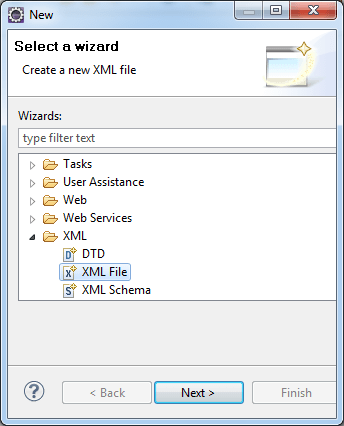
Code Is Unchanged
Because you code against SLF4J, switching backends does not touch your source at all:
import org.slf4j.Logger;
import org.slf4j.LoggerFactory;

public class Main {
    private static final Logger log = LoggerFactory.getLogger(Main.class);
    public static void main(String[] args) {
        log.info("Now running on Logback");
        log.warn("Something looks odd");
    }
}
Key Points
- Logback + SLF4J is the modern default for Java logging.
- TimeBasedRollingPolicy rotates logs daily and keeps history automatically.
- Config is XML in
logback.xml; the log level is set per package.