iText: Generating PDFs in Java
Harry
· 11 Sep 2026
· 10 views
What is iText?
iText is a powerful open source Java library for creating and manipulating PDF documents. You can generate invoices, reports, e-books and forms entirely in code, with fonts, images, tables and barcodes.
Project Setup
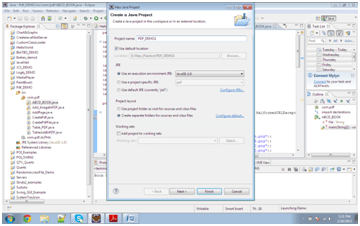
Create a normal Java project and add the iText 7 core JAR to the build path (or declare the Maven dependency shown in the introduction). Once the library is added you can refer to its classes.
Your First PDF
import com.itextpdf.kernel.pdf.PdfDocument;
import com.itextpdf.kernel.pdf.PdfWriter;
import com.itextpdf.layout.Document;
import com.itextpdf.layout.element.Paragraph;

public class HelloPdf {
    public static void main(String[] args) throws Exception {
        PdfWriter writer = new PdfWriter("hello.pdf");
        PdfDocument pdf = new PdfDocument(writer);
        Document document = new Document(pdf);
        document.add(new Paragraph("Hello, iText!"));
        document.close();
        System.out.println("PDF created.");
    }
}
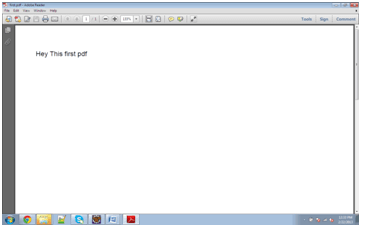
Run the class and a hello.pdf file is generated in the project folder.
Tables and Styling
import com.itextpdf.layout.element.*;

Table table = new Table(3);
table.addCell("Name");
table.addCell("Dept");
table.addCell("Salary");
table.addCell("Nisha");
table.addCell("IT");
table.addCell("75000");
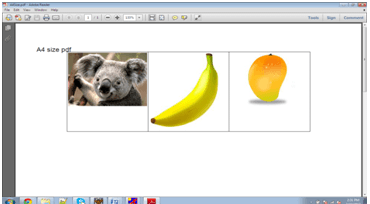
document.add(table);
Adding an Image
import com.itextpdf.layout.element.Image;
import com.itextpdf.io.image.ImageDataFactory;

Image img = new Image(ImageDataFactory.create("logo.png"));
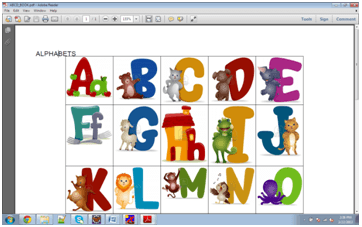
document.add(img);
iText reports render text, tables and images in a predictable PDF layout.
Key Points
- iText 7 uses
PdfWriter+PdfDocument+Document. com.itextpdf.kernelis low level;com.itextpdf.layoutis the friendly high level API.- Always close the
Documentso the PDF is finalised.