Setting Up the Development Environment
Harry
· 11 Sep 2026
· 9 views
What You Need
- The Android SDK - libraries, emulator and build tools.
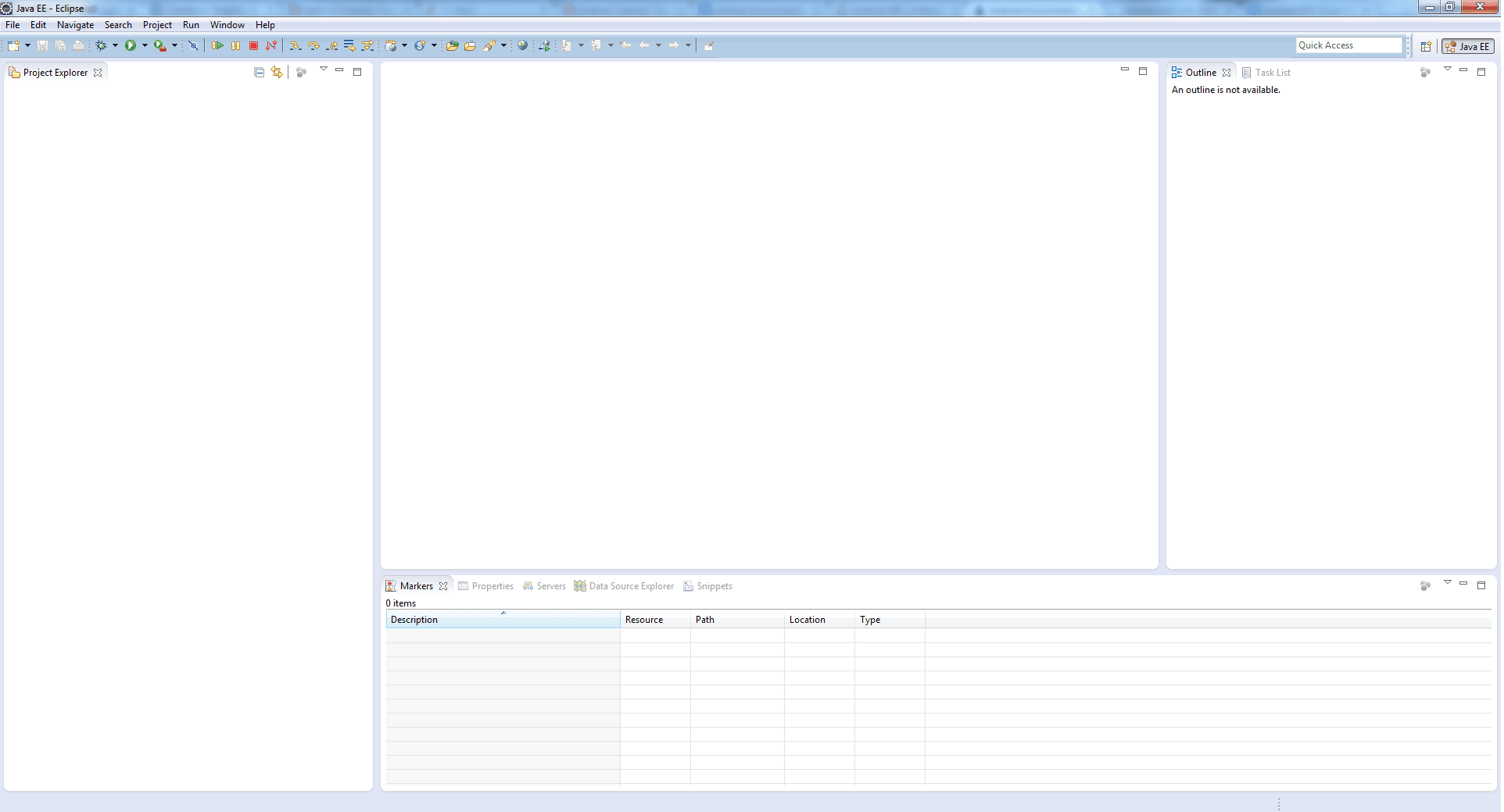
- An IDE - Android Studio today; the Eclipse ADT plugin was the earlier standard shown in the classic screenshots.
- The Java Development Kit (JDK).
Install the SDK
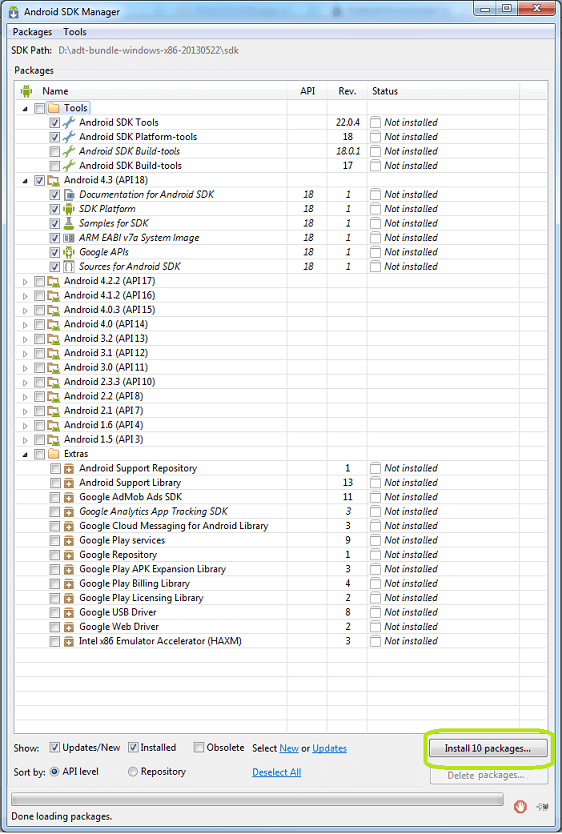
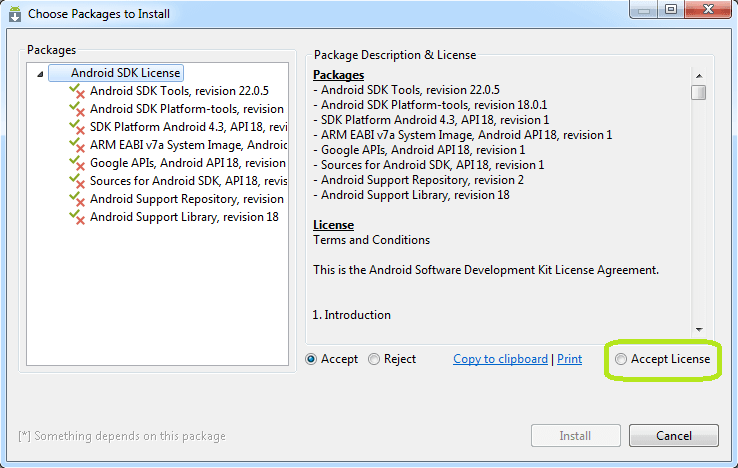
Download the SDK archive and extract it to a tools directory. It brings the emulator, platform tools (adb) and API libraries.
Install ADT in Eclipse
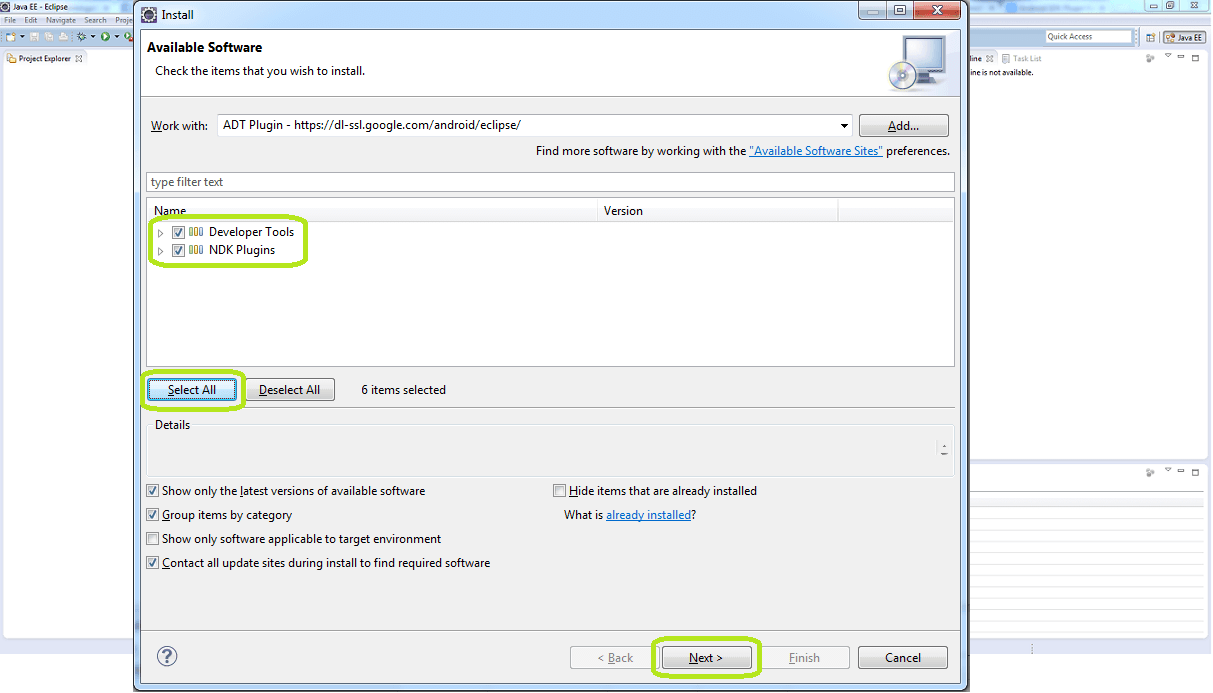
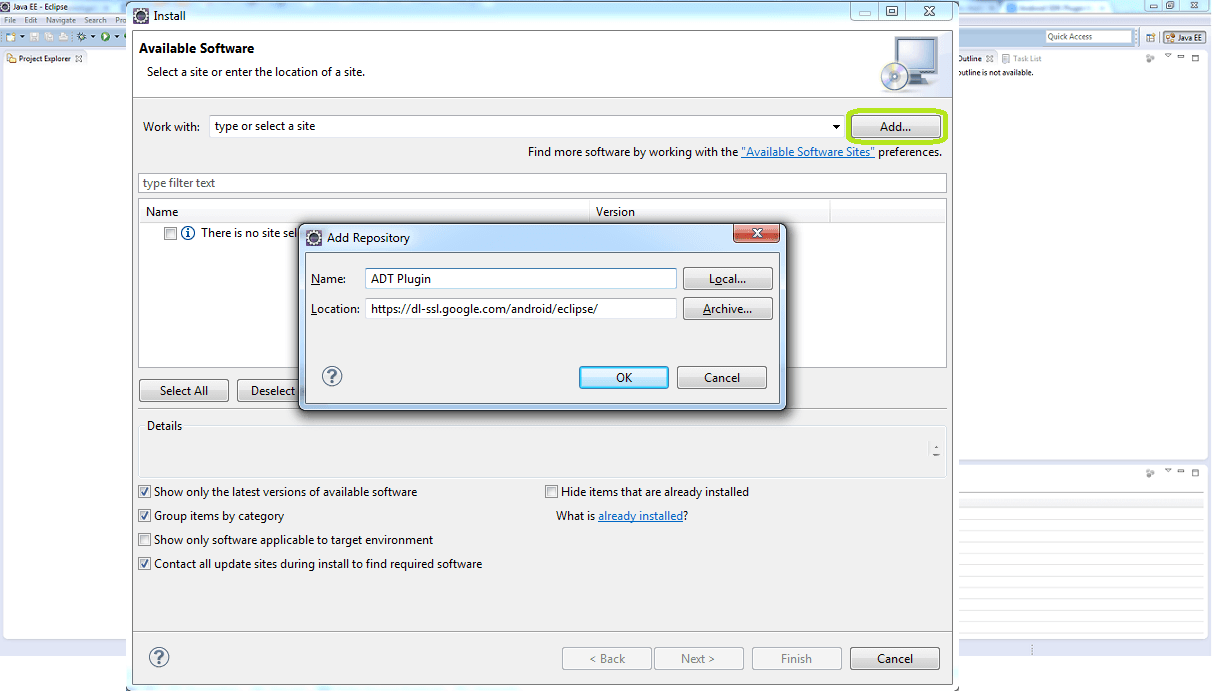
In the classic flow you add the ADT plugin through Help > Install New Software, then point Eclipse at the SDK location.
Create the AVD
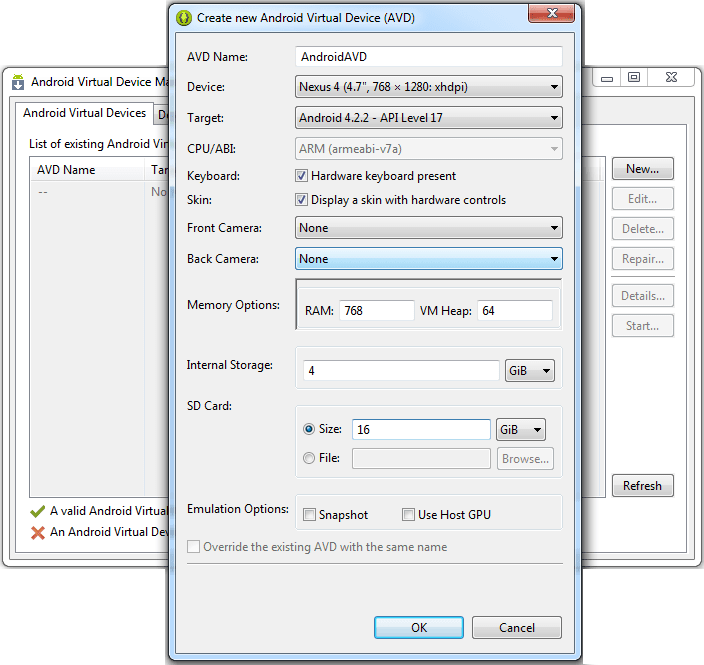
An Android Virtual Device (AVD) emulates a phone so you can run apps without hardware.
Key Points
- SDK + IDE + JDK is the standard toolchain.
- Modern Android Studio replaces the Eclipse/ADT workflow, but the SDK and emulator ideas are unchanged.
- The AVD lets you test without a physical device.