Cloning Your First Repository
Harry
· 13 Sep 2026
· 1 views
Clone a Remote
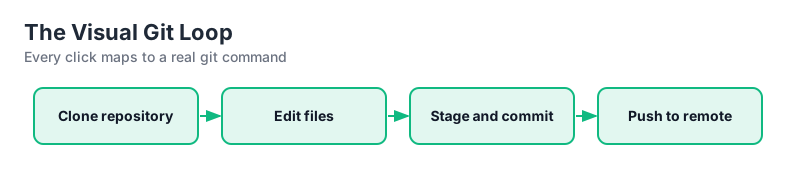
Click Clone at the top, paste a repo URL, choose a destination folder and hit Clone. SourceTree downloads the history and opens the branch graph in seconds.
https://github.com/example/project.gitThe Repository Screen
The left panel lists the active repository, branches, remotes, and stashes. The center shows the branch graph with commit nodes, and below it the file list of the selected commit.
Local vs Remote Branches
Remote branches appear under remotes with names like origin/main. Committing creates commits on your current local branch; they only appear on the server after you push.
Add an Existing Local Folder
Instead of cloning, use Add to create a repository from a folder already under Git, or initialize a brand-new one with Create.
Key Points
- Clone takes a URL and builds the history locally.
- The graph shows local and remote branches together.
- Remotes are separate from local branches until push.
- Add/Create cover existing and fresh repositories.