Dependencies and Repositories
Harry
· 14 Sep 2026
· 28 views
Advertisement

Declaring a dependency
Add a library by its GAV coordinates. Maven downloads it – and everything it needs – automatically:
<dependency>
  <groupId>com.google.code.gson</groupId>
  <artifactId>gson</artifactId>
  <version>2.11.0</version>
</dependency>
The same dependency in Gradle is one line:
implementation 'com.google.code.gson:gson:2.11.0'Where dependencies come from
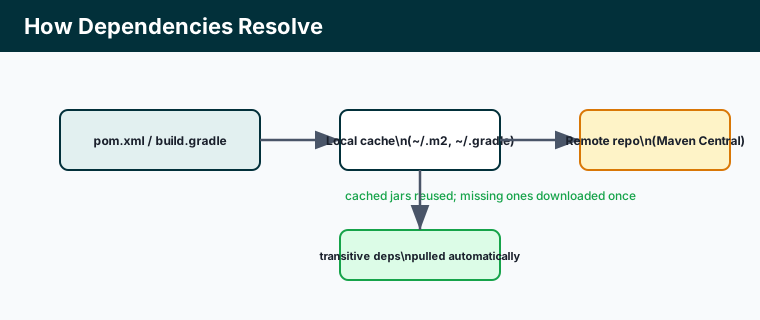
Build tools resolve dependencies in stages. They first check a local cache on your machine (~/.m2 for Maven, ~/.gradle for Gradle); anything missing is downloaded once from a remote repository, chiefly Maven Central, and then reused.
Transitive dependencies
You declare only your direct dependencies; the tool pulls in everything they depend on – the transitive graph. Gson may need nothing, but a web framework can pull in dozens of JARs from your one declaration. Inspect the full tree when versions clash:
mvn dependency:tree
gradle dependencies
Scopes
A scope limits where a dependency is available, keeping the final artifact lean:
compile/implementation– available everywhere (the default).test/testImplementation– only when compiling and running tests (e.g. JUnit).provided/compileOnly– needed to compile but supplied at runtime by the server (e.g. the Servlet API in a WAR).runtime– needed only at runtime, not to compile (e.g. a JDBC driver).
Key points
- Declare dependencies by GAV; the tool downloads them automatically.
- Resolution checks a local cache first, then a remote repo like Maven Central.
- Transitive dependencies come in through your direct ones – inspect the tree on conflicts.
- Scopes (test, provided/compileOnly, runtime) control where a dependency applies.