Pipes, Redirection and Text Tools
Harry
· 14 Sep 2026
· 1 views
Advertisement

The Unix philosophy
Each Linux tool does one thing well. Real power comes from composing them – feeding the output of one command into the next. This is the Unix philosophy, and pipes are how you do it.
Pipes
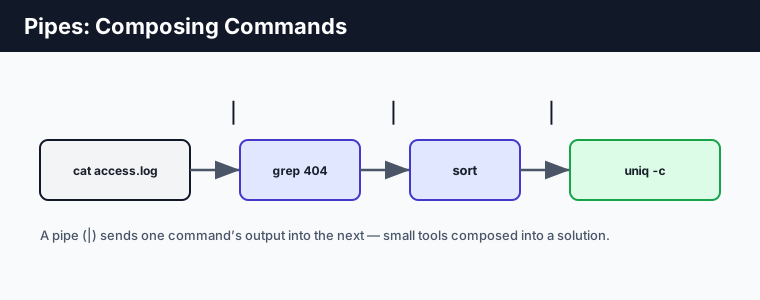
The pipe | sends one command's output as the next command's input:
# count how many 404s are in a log, by URL
cat access.log | grep " 404 " | sort | uniq -c | sort -rn | head
Read it left to right: show the log, keep 404 lines, sort them, count duplicates, sort by count descending, show the top few. Five small tools solve a real problem with no scripting.
Redirection
Where pipes connect commands, redirection connects a command to a file:
echo "hello" > out.txt      # write (overwrite) to a file
echo "more" >> out.txt       # append to a file
command 2> errors.txt        # redirect error output (stderr)
command > out.txt 2>&1       # both output and errors to one file
command < input.txt          # read input from a file
Essential text tools
grep– filter lines matching a pattern.sort– order lines;uniq– collapse or count duplicates.wc -l– count lines.cut– pick columns;awk– field processing;sed– find-and-replace.
grep "ERROR" app.log | wc -l          # how many errors?
cut -d: -f1 /etc/passwd               # first field of each line
sed 's/foo/bar/g' file.txt            # replace foo with bar
Key points
- Small tools compose into solutions via the pipe
|. - Redirect output to files with
>(overwrite) and>>(append);2>for errors. grep,sort,uniq,wc,cut,awkandsedare the core text toolkit.- This composition is the essence of the Unix philosophy.