Building Images with a Dockerfile
Harry
· 14 Sep 2026
· 4 views
Advertisement

What a Dockerfile is
A Dockerfile is a plain-text recipe that tells Docker how to build an image, one instruction per line. Each instruction creates a new read-only layer; layers are cached, so rebuilds only redo the steps that changed. Ordering instructions from least- to most-frequently-changing is the single biggest build-speed win.
A Dockerfile for a Node app
FROM node:20-alpine
WORKDIR /app

# Copy only manifests first so 'npm install' is cached
COPY package*.json ./
RUN npm install --production

# Now copy the rest of the source
COPY . .

EXPOSE 3000
CMD ["node", "server.js"]
Reading it line by line:
FROMchooses a base image – here a small Alpine Linux image with Node 20.WORKDIRsets the working directory for later instructions.COPY package*.jsonthenRUN npm installare done before copying the code, so dependencies are cached and only reinstalled when the manifest changes.EXPOSEdocuments the port;CMDis the default command run when a container starts.
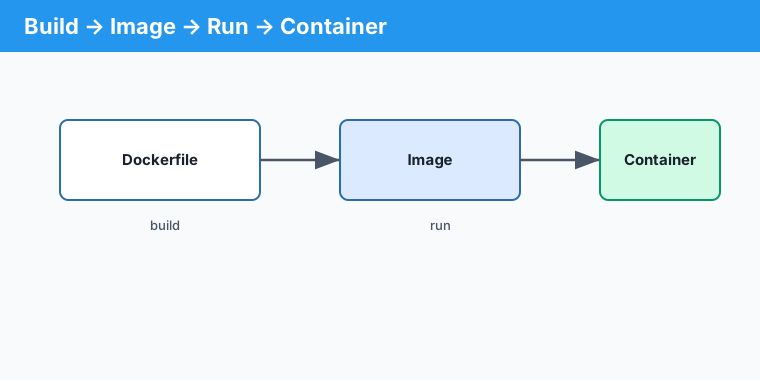
Build and run it
docker build -t myapp:1.0 .
docker run -d -p 3000:3000 myapp:1.0
The -t flag tags the image with a name and version. The trailing . is the build context – the folder Docker sends to the daemon.
CMD vs RUN vs ENTRYPOINT
RUNexecutes at build time and bakes the result into a layer (e.g. installing packages).CMDis the default command at run time and can be overridden on the command line.ENTRYPOINTsets a fixed executable;CMDthen supplies its default arguments.
Key points
- A Dockerfile builds an image in cached layers – order instructions by change frequency.
- Copy dependency manifests and install before copying source to reuse the cache.
docker build -t name:tag .builds and tags;RUNis build-time,CMDis run-time.