Creating Affiliate Links: SiteStripe, ASIN and Your Tag
 Git & GitHub Mastery
Learn Free →
Git & GitHub Mastery
Learn Free →
The easiest way: SiteStripe
Once approved, a black SiteStripe bar appears at the top of Amazon when you are logged in. Browse to any product and click Text, Image or Text+Image to generate a ready-made link (or a short amzn.to URL) already stamped with your tag. This is the fastest, most reliable method.
Building a link by hand
Every product has an ASIN – a 10-character ID found in the product URL after /dp/. With the ASIN you can build a link yourself:
https://www.amazon.in/dp/<ASIN>?tag=yourid-21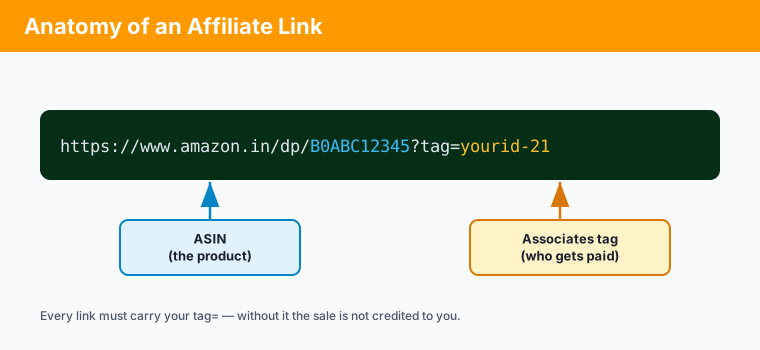
For books, the ISBN-10 is usually the ASIN, so a book link is easy to build. The one non-negotiable part is ?tag=yourid-21 – without your tag, the sale is not credited to you.
Short links and your storefront
SiteStripe can shorten a link to amzn.to/xxxx. Short links already contain your tag, but you cannot re-tag them later, so only share short links you created yourself. You also get an Associates storefront page you can point people to.
Key points
- SiteStripe is the quickest way to make correct, tagged links.
- The ASIN identifies the product; your
tag=identifies you as the referrer. - Build any link as
/dp/<ASIN>?tag=yourid-21. - Short links keep the tag of whoever created them – only use your own.