Building a UI with SwiftUI
Harry
· 16 Sep 2026
· 2 views
Log in to track your progress and mark lessons complete.
Sponsored
 JTechies on YouTube
Subscribe →
JTechies on YouTube
Subscribe →
Views describe the screen
In SwiftUI you describe what the UI should look like for the current data, and the framework figures out the rest. A view is a struct conforming to View:
import SwiftUI

struct GreetingView: View {
    var body: some View {
        VStack {
            Text("Hello, GroovyGrails!")
                .font(.title)
            Image(systemName: "star.fill")
                .foregroundColor(.yellow)
        }
        .padding()
    }
}
State drives the UI
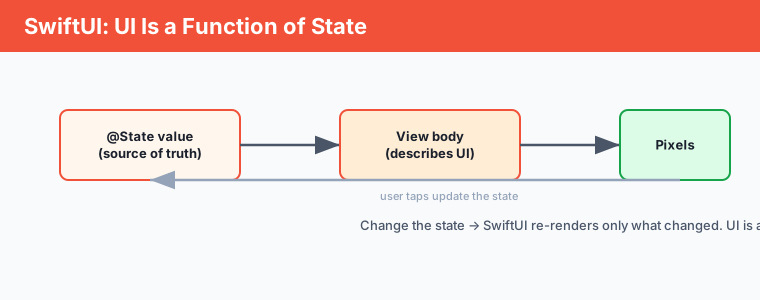
Mark changing data with @State. When it changes, SwiftUI re-renders only what needs updating – the UI is a function of state.
struct CounterView: View {
    @State private var count = 0
    var body: some View {
        VStack {
            Text("Count: (count)")
            Button("Increment") { count += 1 }
        }
    }
}
Layout with stacks
Compose layouts with VStack (vertical), HStack (horizontal) and ZStack (layered), plus modifiers like .padding() and .background().
Key points
- A SwiftUI view describes the UI for the current state.
@Stateholds changing data; updating it re-renders the view.- Build layouts with
VStack/HStack/ZStackand modifiers. - You rarely touch pixels directly – you change state.