First Commands and the Pipeline
Harry
· 13 Sep 2026
· 2 views
Simple Cmdlets
Get-Date          # current date and time
Get-ChildItem     # list files (ls)
Get-Process       # running processes
Get-Service       # Windows services
The Pipeline
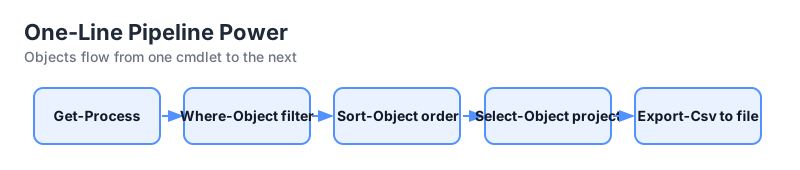
The pipe sends the object output of one command into the next. Objects, not strings, flow through:
Get-Process | Where-Object { $_.CPU -gt 10 } | Sort-Object CPU -Descending | Select-Object -First 5 Name, CPUFormatting Output
Get-Process | Format-Table Name, Id, CPU
Get-Service | Format-List *
Get-Process | Export-Csv processes.csv
Variables Start with $
$processes = Get-Process
$processes.Count
$processes | Where-Object Name -eq 'notepad'
Common Gotchas
- $_ is the pipeline "current object".
- Commands are case-insensitive.
- Use -eq for comparison, = is assignment.
Key Points
- Pipeline passes objects between cmdlets.
- Format-Table/Format-List shape the display.
- $_ refers to each item in the pipeline.
- Export-Csv turns results into data.