

Create Pdf
document.open();
document.add(new Paragraph("Hey This first pdf"));
document.close();
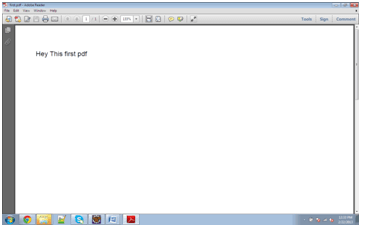
document.add(new Paragraph("Hey This first pdf"));
document.close();
package com.pdf;
import java.io.FileNotFoundException;
import java.io.FileOutputStream;
import com.itextpdf.text.Document;
import com.itextpdf.text.DocumentException;
import com.itextpdf.text.Paragraph;
import com.itextpdf.text.pdf.PdfWriter;

public class CreatePdfFile
{
	private static String file="D:\\first.pdf";
	/**
	 * @param args
	 * @throws DocumentException
	 * @throws FileNotFoundException
	 */
	public static void main(String[] args)
		throws FileNotFoundException,
		DocumentException
	{
		Document document=new Document();
		PdfWriter.getInstance(document,
			new FileOutputStream(file));
		document.open();
		document.add(new Paragraph
			("Hey This first pdf"));
		document.close();
	}
}
Output:
Realtime Example of Creating PDF (Alphabet book )
package com.pdf;
import java.io.FileOutputStream;
import java.io.IOException;
import java.net.MalformedURLException;
import com.itextpdf.text.Document;
import com.itextpdf.text.DocumentException;
import com.itextpdf.text.Image;
import com.itextpdf.text.PageSize;
import com.itextpdf.text.Paragraph;
import com.itextpdf.text.pdf.PdfPTable;
import com.itextpdf.text.pdf.PdfWriter;

public class ABCD_BOOK
{
	private static String file="D:\\ABCD_BOOK.pdf";
	public static void main(String[] args)
		throws DocumentException, MalformedURLException,
	IOException
	{
		// TODO Auto-generated method stub
		Document document=new Document(PageSize.A4);
		PdfWriter.getInstance(document,
			new FileOutputStream(file));
		document.open();
			//Open Document and create image object;
		Image a=Image.getInstance
			("C:\\Users\\ABC\\Pictures\\ALPHA\\A.jpg");
		Image b=Image.getInstance
		("C:\\Users\\ABC\\Pictures\\ALPHA\\B.jpg");
		Image c=Image.getInstance
		("C:\\Users\\ABC\\Pictures\\ALPHA\\C.jpg");
		Image d=Image.getInstance
		("C:\\Users\\ABC\\Pictures\\ALPHA\\D.jpg");
		Image e=Image.getInstance
		("C:\\Users\\ABC\\Pictures\\ALPHA\\E.jpg");
		Image f=Image.getInstance
		("C:\\Users\\ABC\\Pictures\\ALPHA\\F.jpg");
		Image g=Image.getInstance
		("C:\\Users\\ABC\\Pictures\\ALPHA\\G.jpg");
		Image h=Image.getInstance
		("C:\\Users\\ABC\\Pictures\\ALPHA\\H.jpg");
		Image i=Image.getInstance
		("C:\\Users\\ABC\\Pictures\\ALPHA\\I.jpg");
		Image j=Image.getInstance
		("C:\\Users\\ABC\\Pictures\\ALPHA\\J.jpg");
		Image k=Image.getInstance
		("C:\\Users\\ABC\\Pictures\\ALPHA\\K.jpg");
		Image l=Image.getInstance
		("C:\\Users\\ABC\\Pictures\\ALPHA\\L.jpg");
		Image m=Image.getInstance
		("C:\\Users\\ABC\\Pictures\\ALPHA\\M.jpg");
		Image n=Image.getInstance
		("C:\\Users\\ABC\\Pictures\\ALPHA\\N.jpg");
		Image o=Image.getInstance
		("C:\\Users\\ABC\\Pictures\\ALPHA\\O.jpg");
		Image p=Image.getInstance
		("C:\\Users\\ABC\\Pictures\\ALPHA\\P.jpg");
		Image q=Image.getInstance
		("C:\\Users\\ABC\\Pictures\\ALPHA\\Q.jpg");
		Image r=Image.getInstance
		("C:\\Users\\ABC\\Pictures\\ALPHA\\R.jpg");
		Image s=Image.getInstance
		("C:\\Users\\ABC\\Pictures\\ALPHA\\S.jpg");
		Image t=Image.getInstance
		("C:\\Users\\ABC\\Pictures\\ALPHA\\T.jpg");
		Image u=Image.getInstance
		("C:\\Users\\ABC\\Pictures\\ALPHA\\U.jpg");
		Image v=Image.getInstance
		("C:\\Users\\ABC\\Pictures\\ALPHA\\V.jpg");
		Image w=Image.getInstance
		("C:\\Users\\ABC\\Pictures\\ALPHA\\W.jpg");
		Image x=Image.getInstance
		("C:\\Users\\ABC\\Pictures\\ALPHA\\X.jpg");
		Image y=Image.getInstance
		("C:\\Users\\ABC\\Pictures\\ALPHA\\Y.jpg");
		Image z=Image.getInstance
		("C:\\Users\\ABC\\Pictures\\ALPHA\\Z.jpg");
		Image bl=Image.getInstance
		("C:\\Users\\ABC\\Pictures\\ALPHA\\Blank.jpg");
		//document.addTitle("ALPHABETS");
		document.add(new Paragraph("ALPHABETS"));
		PdfPTable table=new PdfPTable(5);
		table.addCell(a);
		table.addCell(b);
		table.addCell(c);
		table.addCell(d);
		table.addCell(e);
		table.addCell(f);
		table.addCell(g);
		table.addCell(h);
		table.addCell(i);
		table.addCell(j);
		table.addCell(k);
		table.addCell(l);
		table.addCell(m);
		table.addCell(n);
		table.addCell(o);
		table.addCell(p);
		table.addCell(q);
		table.addCell(r);
		table.addCell(s);
		table.addCell(t);
		table.addCell(u);
		table.addCell(v);
		table.addCell(w);
		table.addCell(x);
		table.addCell(y);
		table.addCell(bl);
		table.addCell(bl);
		table.addCell(z);
		table.addCell(bl);
		table.addCell(bl);
		document.add(table);
		document.close();
		System.out.println("Book Created..");
	}
}
Output: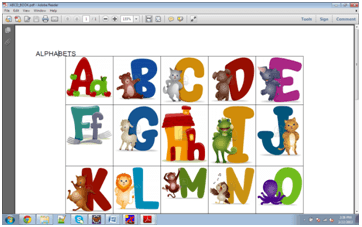
Resize PDF And Add Table
package com.pdf;
import java.io.FileOutputStream;
import com.itextpdf.text.Document;
import com.itextpdf.text.Paragraph;
import com.itextpdf.text.pdf.PdfPTable;
import com.itextpdf.text.pdf.PdfWriter;

public class TableAddInPDF
{
	public static void main(String arg[])throws Exception
	{
		com.itextpdf.text.Rectangle pagesize=new
			com.itextpdf.text.Rectangle(600,400);
		//pagesize.setBackgroundColor
		//(new java.awt.Color(0xDF, 0xFF, 0xDE));
		Document document=new Document(pagesize);
		PdfWriter.getInstance(document,	new
			FileOutputStream
			("D:\\backgroundColorPDF.pdf"));
		document.open();
		Paragraph para=new Paragraph
			("Page Size and Background color");
		document.add(para);
		document.add(new Paragraph
			("Background color--->>"));
		PdfPTable table=new PdfPTable(2);
		table.addCell("Name");
		table.addCell("Place");
		table.addCell("Harry");
		table.addCell("Delhi");
		document.add(table);
		document.close();
	}
}
Password Protected Pdf
package com.pdf;
import java.io.File;
import java.io.FileOutputStream;
import java.io.OutputStream;
import java.util.Date;
import com.lowagie.text.Document;
import com.lowagie.text.Paragraph;
import com.lowagie.text.pdf.PdfWriter;

public class PasswordPDF
{
	private static String USER_PASS = "Hello123";
	private static String OWNER_PASS = "Owner123";
	public static void main(String[] args)
	{
		try
		{
			OutputStream file = new
			FileOutputStream(new File("D:\\Test.pdf"));
		}
	}
}


