

Using Buffer Reader Class
Read File Line By line Using BufferedReader
In this section you will learn how to read line by line data from a
file using BufferedReader. In this section, we provide you two
examples:
1. Read line by only using BufferedReader
2. Read line by using FileInputStream, DataInputStream, BufferedReader.
1. Read line by only using BufferedReader
2. Read line by using FileInputStream, DataInputStream, BufferedReader.
What is BufferedReader ?
BufferedReader buffer character to read characters, arrays and lines. It read text from a character-input stream. You can change the buffer size or can use default size.
package com.buffered;
import java.io.BufferedReader;
import java.io.InputStreamReader;
public class Main{
  public static void main(String[] args) {
    PressAnyKey();
  }
  public static void PressAnyKey() {
	BufferedReader input =new BufferedReader
		(new InputStreamReader(System.in));
	System.out.print("Press any key...");
	try {
	input.readLine();
	}
	catch (Exception e) {
      e.printStackTrace();
    }
  }
}
What is in, out and err?
in is a static reference of java.io.InputStream class provided in System class out and err are static references of java.io.PrintStream class provided in System class.Creating out own static references
import java.io.*;
import java.util.Scanner;
public class MyClass
{
     static InputStreamReader isr=new InputStreamReader(System.in);
     static BufferedReader br=new BufferedReader(isr);
     static Scanner sc=new Scanner(System.in);
}

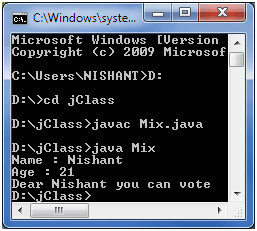
public class Mix
{
    public static void main(String args[]) throws java.io.IOException
    {
        System.out.print("Name : ");
        String name=MyClass.br.readLine();
        System.out.print("Age : ");
        int age=MyClass.sc.nextInt();

        if(age>=18)
            System.out.printf("Dear %s you can vote",name);
        else
            System.out.printf("Dear %s you cannot vote",name);
    }
}


